Teach what you know. Mila handles the rest.
Sell online courses from your own page. Mila takes the payment, sends the access link and keeps your students’ progress, so you can focus on teaching.
14-day free trial. No credit card to start.
What you get
Your courses, your page
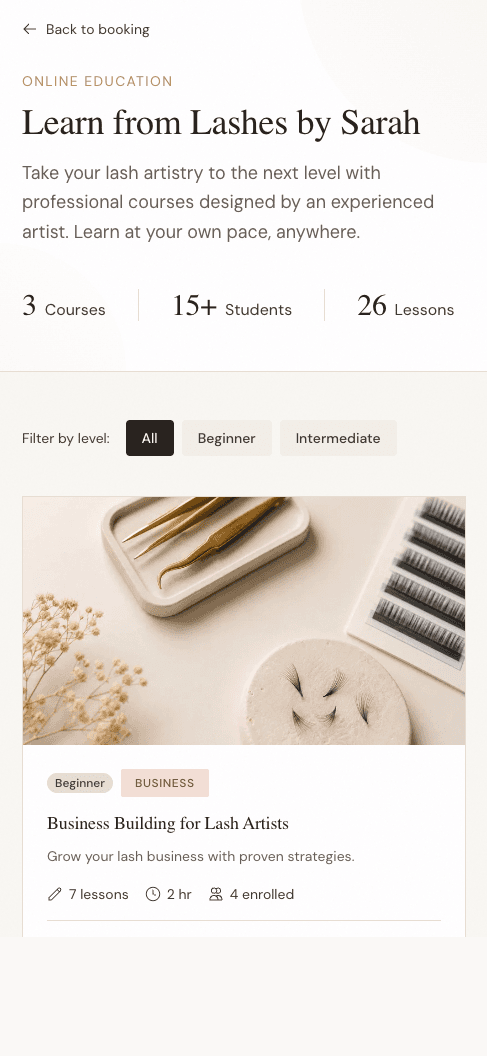
Publish courses on your own Mila page, under your name and your look. Students find them, read the outline and enroll in a minute.
Lessons the way you teach
Video, text and downloads, in the order you choose. Mark lessons required or optional; students see their progress as they go.
Payments done for you
Students pay by card. The money goes to your Stripe account; Mila sends the receipt and the access link.
Students in one place
Every student appears alongside your other clients, with what they bought and how far they have got. Grant access by hand when you teach in person.
Access you control
Refund, revoke or restore access from your dashboard. Students keep a personal link and can sign in at any time to find all their courses.
How it works
- 1
Create a course
Add a title, a price and your lessons. Save as a draft until it is ready.
- 2
Publish
It appears on your page, with a share link for your socials and your newsletter.
- 3
Students enroll
They pay, receive their access by email, and start.
- 4
You see it all
New students, progress and completions, in your dashboard.
Built for any kind of teaching
Whether you teach a craft, a skill or a method, the course works the same way: your lessons, your price, your students. Mila started with beauty professionals and now serves educators in any industry.
Also take bookings?
If you also see clients in person, bookings and courses live on the same page and the same account.
Learn about bookingsPricing
The Education plan is $39 a month, or $388 a year, and includes courses, live classes, one-on-one sessions and your students. Mila’s platform fee on sales is 0.5%, the same rate as every payment; Stripe’s processing fees are separate. Start with a 14-day free trial, no credit card required.
See plans and pricingQuestions
- Do I need to take bookings to sell courses?
- No. Choose “Teach courses” when you sign up and your page is set up for courses only.
- How do students get their course?
- By email, straight after paying: a personal link opens the course. They can also sign in at milabook.com/account to see every course they own.
- Can I give a course to someone for free?
- Yes. Grant access from the course’s Students tab, free or at a price you set.
- What happens if I refund a student?
- You choose. A refund and the student’s access are separate: you can refund and leave the course open, or revoke access.